¶ SHOTGRID FOR ARTISTS
Here the steps and information you can find on Shotgrid.
NOTE - some screenshots are from another project but the principles and names are the same.
¶ About your tasks
1 - YOUR PAGE
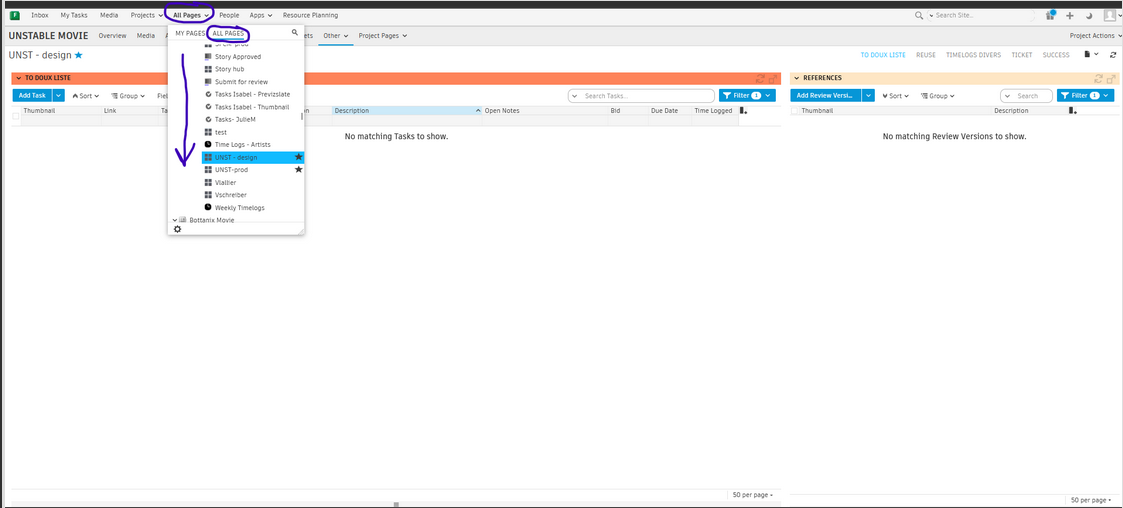
Log in, find the project UNSTABLE and your page “Unstable - ####”.
Click on “all pages", tab “all page”, go down until you find "Unstable movie" and “pages" go dooown it's by alphabetical order : UNST - ####
Please choose : layout, anim… regarding your position !
In that page, you should have everything at the same place (please let us know if you want additional stuff !)
Check the tabs on the right.
2 - YOUR TO DOUX LIST
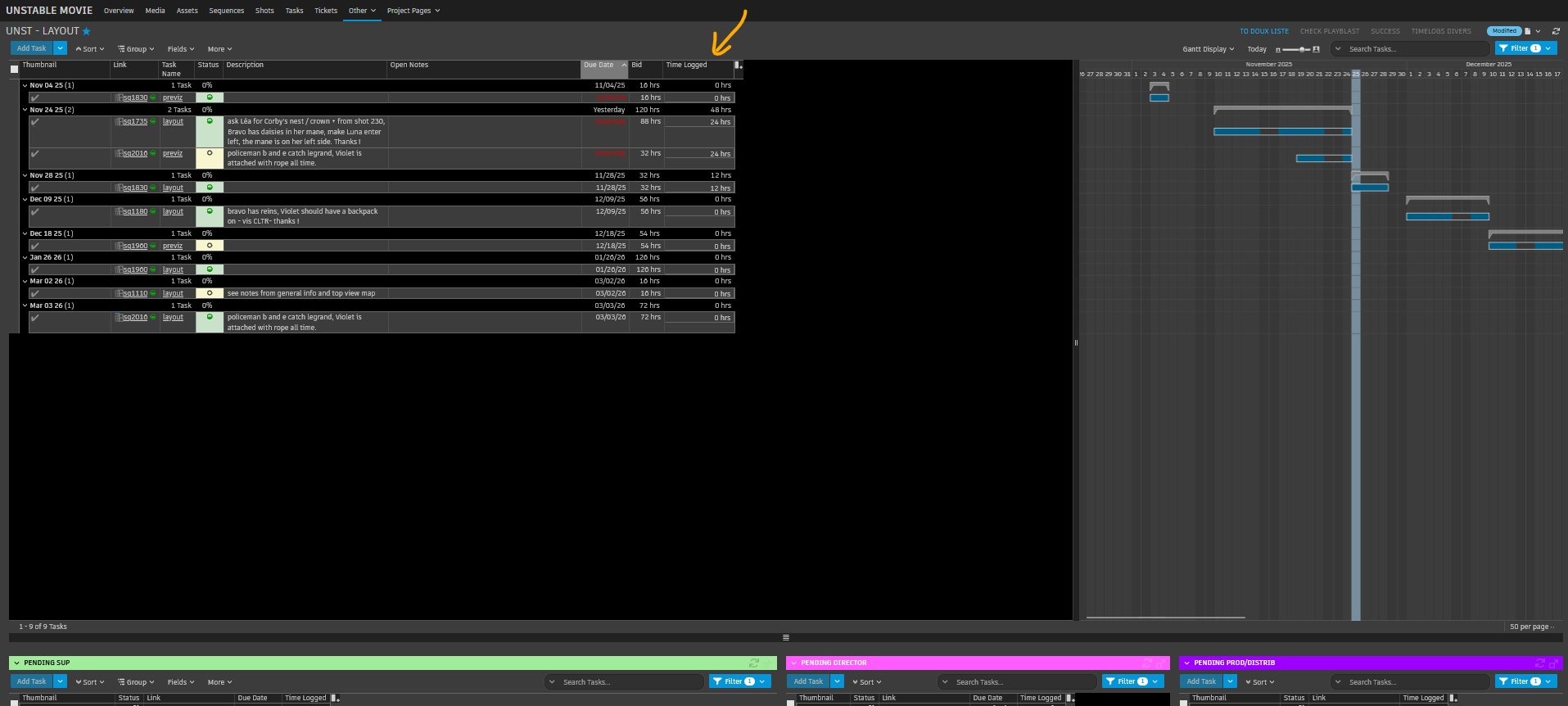
First tab you see you “to doux liste”, everything you have to do.
You will find on the same page your due dates (when you need to delivery the shots), the bids (how long you should work on that task), the timelogged ( how much you already spent on that task), open note by the director or your sup (yellow - about your task) and description (green - general note of the shot) have to be read. They can contain precious information you need to know before starting.
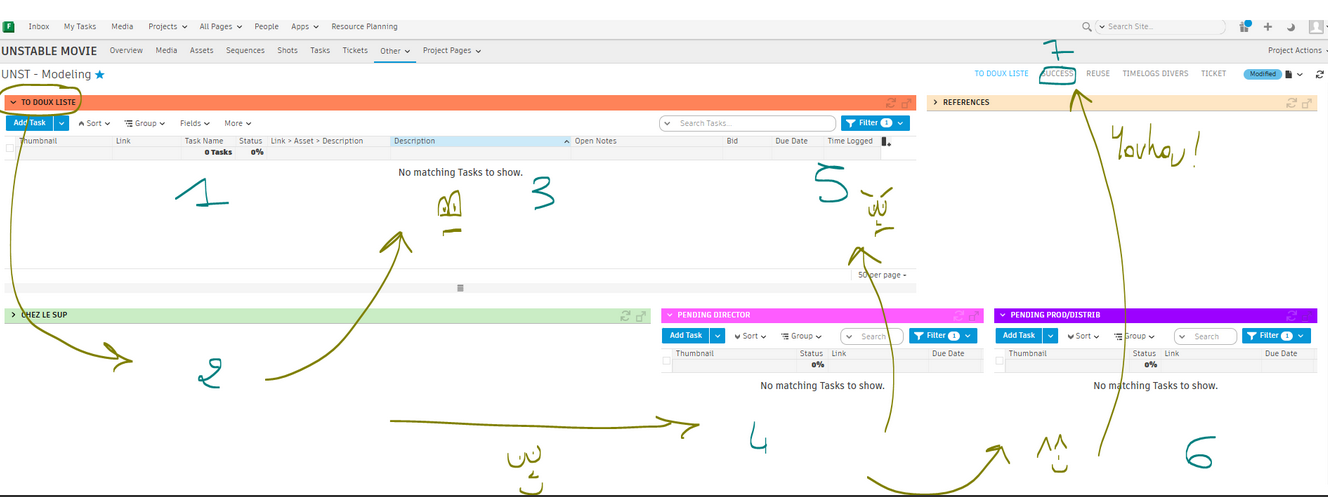
Below you can find 3 others boxes. Your versions will go from one box to another depending of its status !
1 - To doux list, the jobs you'll begin !
2 - first version done, sent to the sup
3 or 4 - retake or good for director then producers
5 or 6 - retake or good for producers
7 - SUCCESS !!!
You can follow your shots /assets at anytime.
3 - STATUS
In red what the prod is changing.
waiting to start : you can't begin your task. We are probably still into the previous step.
Ready to start : you can begin your task. Please check the notes and ask any question you may have to your sup or prod manager.
On hold : if the task goes 'on hold', you'll be advise to stop your task for the moment, we are probably waiting for additional information. It can also be on hold before you begin, in that case. Wait until the status changes to "ready to start".
In blue what you are changing or change by itself
When you begin a task please put the status in “in progress” so you sup and manager know where you are.
When your shot is ready, the task status will change for “pending review” so your sup knows you need feedback.

What happen after.
After that your task status will change again for :
“retake” if you have to adjust something,
“creatively approved” when your sup approved it
"approved" if you don't have to touch it anymore ! :D
4 - FIND YOUR NOTES!
You only do the notes when the status is “retake”. If the status stays “pending director” or “hold” we might be discussing, so please wait.
A - in your to doux liste :
To see the entire notes you can go to "open notes", click right and click on "wrap text" to open more the column.

B - You can also click on the "Link" of your asset and go to “notes”.

C - Or you can also go in your Inbox on the top left of your page :


5 - At some point, you might have a lot of task in your "to doux list".
You can filter the task with the menu on the right.
You can filter by status (if you want to see only the retakes or only the ready to start...)
You can filter by due date (to know what is your workload for the week for example...)
Very important : check at the bottom right of the page. You "to doux liste" page is design to host 50 tasks. At some point, you may have more than that. You'll probably need to switch to the other page.
