¶ 1 - LIB and PICKER
Where to find LIB and PICKER ?
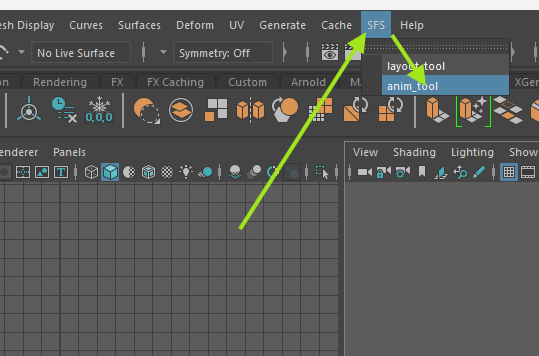
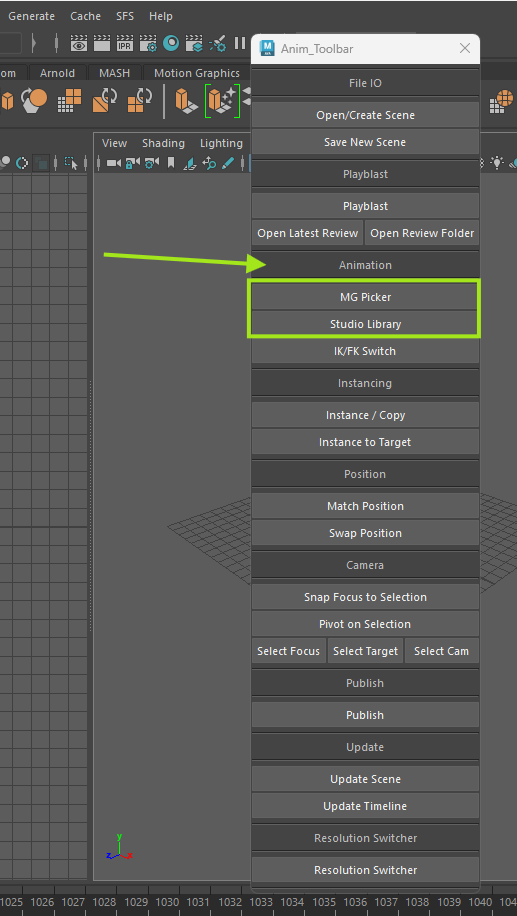
Please go again into : SFS > anim_tool > picker / Lib !
¶ 2 - RIG TUTO CHARA
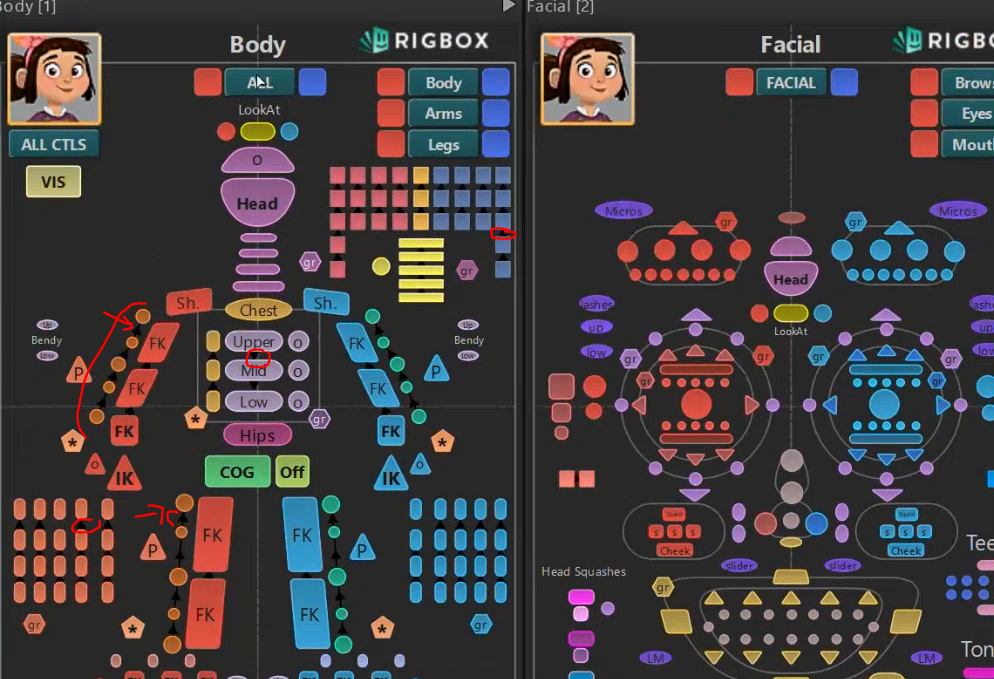
Unstable character pickers have 3 panels.
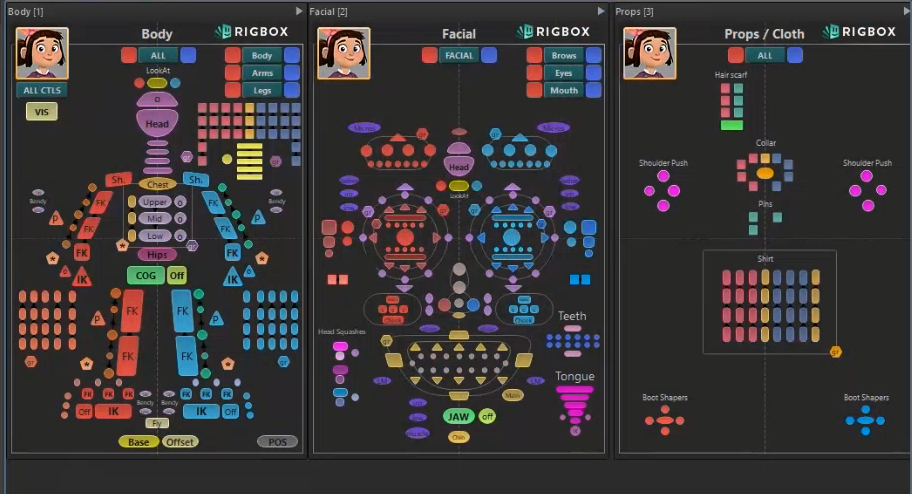
one for body
one for facial
one for props and cloth
Click 1, 2 or 3 to swap from one to another.
Scale in and out : Alt + right click like in Maya
Category buttons
ALL - select all the CTRL of the panel
GR - select all the CTRL of the category in the frame/box. Box gathers the CTLR that are from the same body part, a gr CTLR is on the edge to select them all.
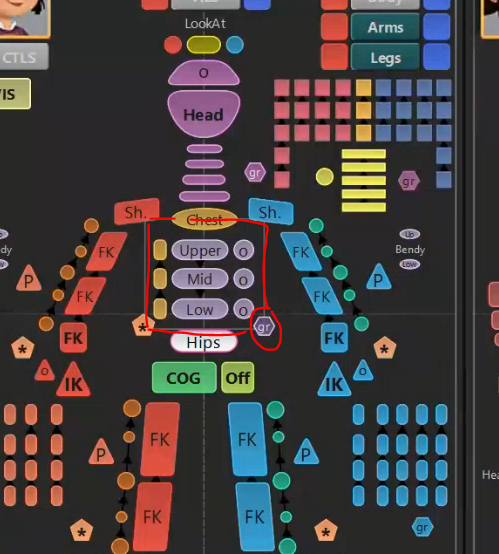
Under selection
- only body, arms, legs, brows, Eyes, mouth !
please note that body is like all but with no shaper ("bendy" pink ring in the rig) and no hair.
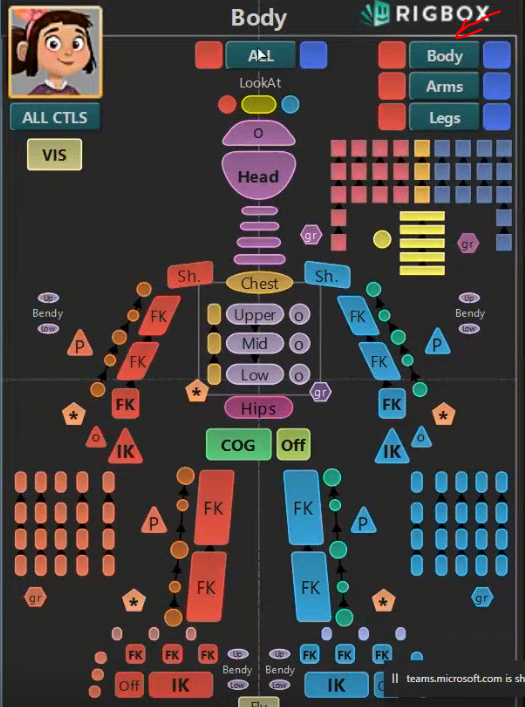
- only left or only right
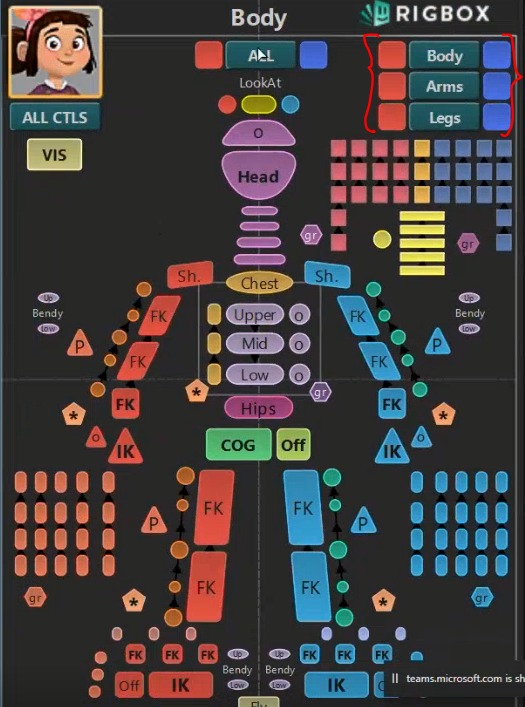
Look at is not in the other groups. It's in the body and facial panel.
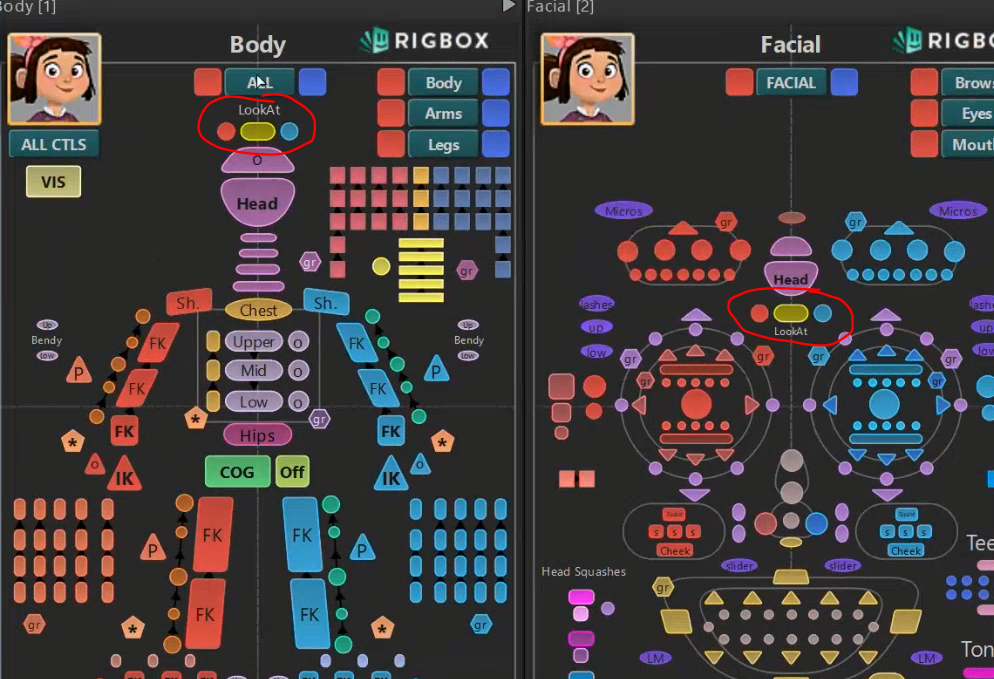
VIS CTLR holds all the particularities of the characters like on and off visibility of props on them.
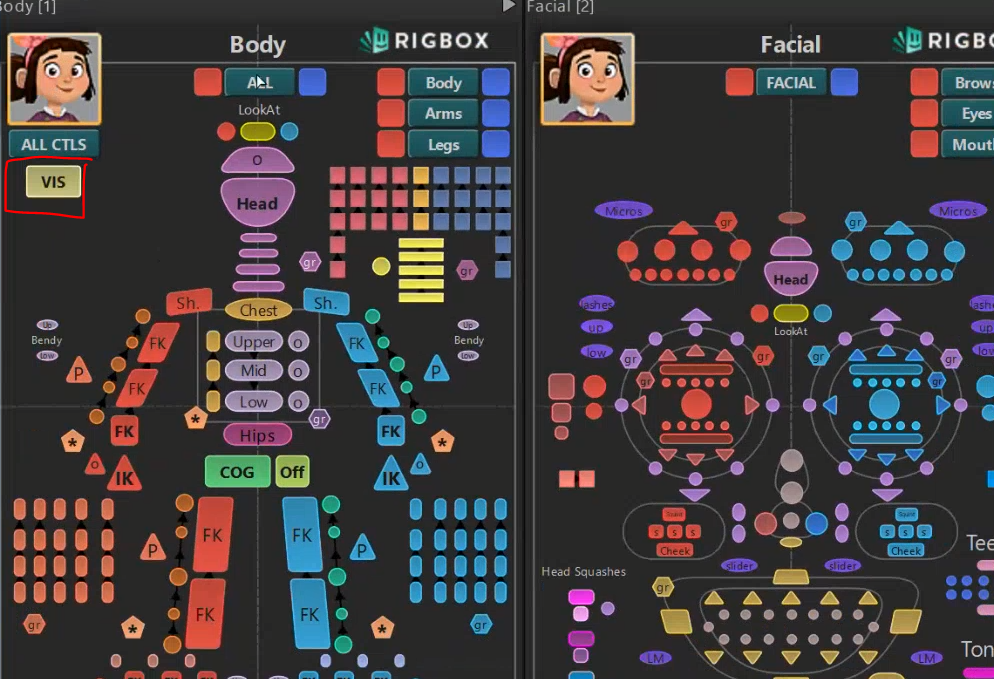
Hierarchy buttons have black arrows in between. Double click and you will select all the children. Lower buttons is the lower in the hierrachy.

3 - RIG PROP
If you want to check how a prop rig is working, it's mostly available on SG in the rig task of the prop !
Ask you coordinator !
IMPORTANT - cars should always be in base resolution to be animated !
¶ 4 - UPDATE SCENE
Something is missing in your scene and we'll update via SG.
You can go in your anim tool bar and click on “update scene”.
.png)
It will open a pop up window showing you what can be updated. You just have to confirm by clicking on the square !
.png)